

Your free page, for life.
Plus the all-in-one app.
Your portfolio and reviews on a page in the InkMeet directory, indexable by Google and readable by AI, without ever paying. On top: quotes, deposits, calendar and clients in one place.
- Free page for life
- No credit card required
- Pro tools free for 30 days
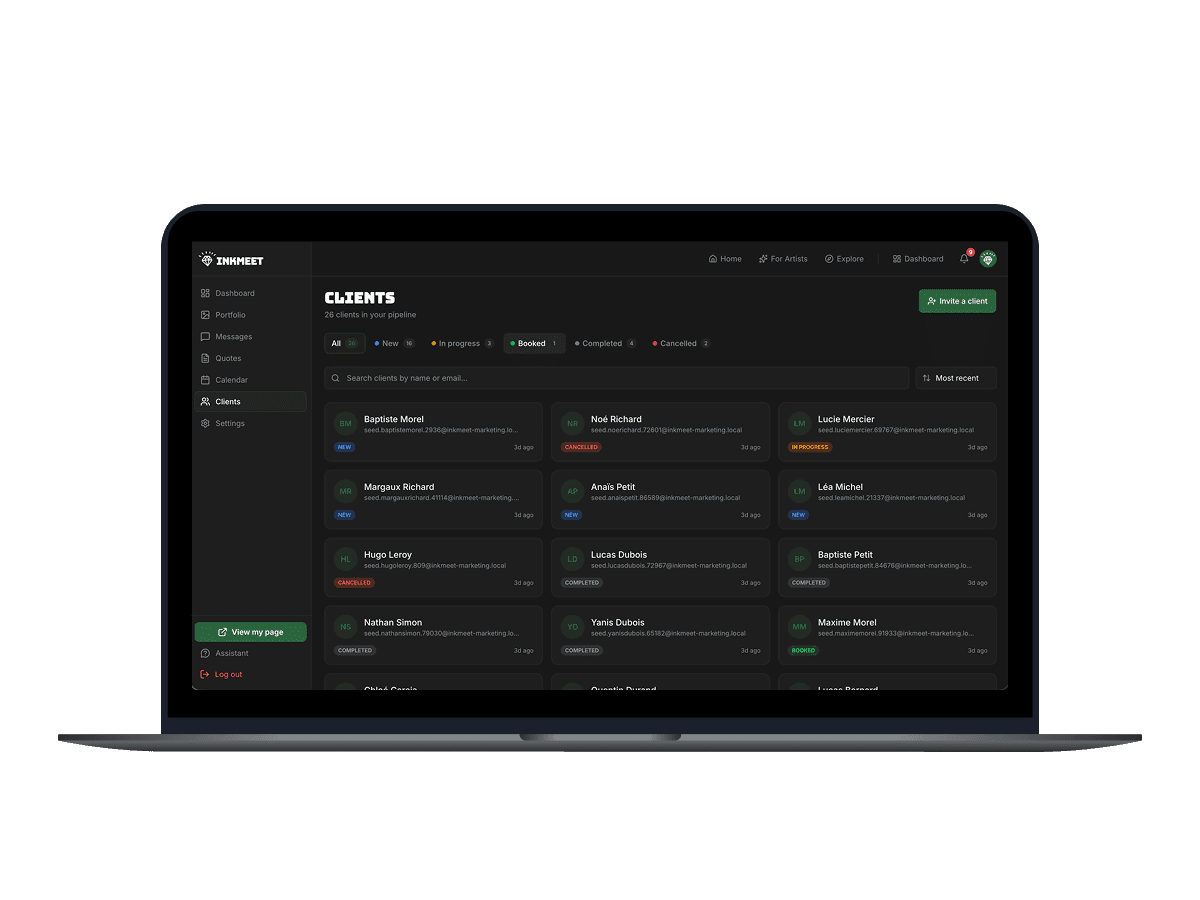
They already have their page
Tattoo artists publishing their work on InkMeet and handling their requests in one place.
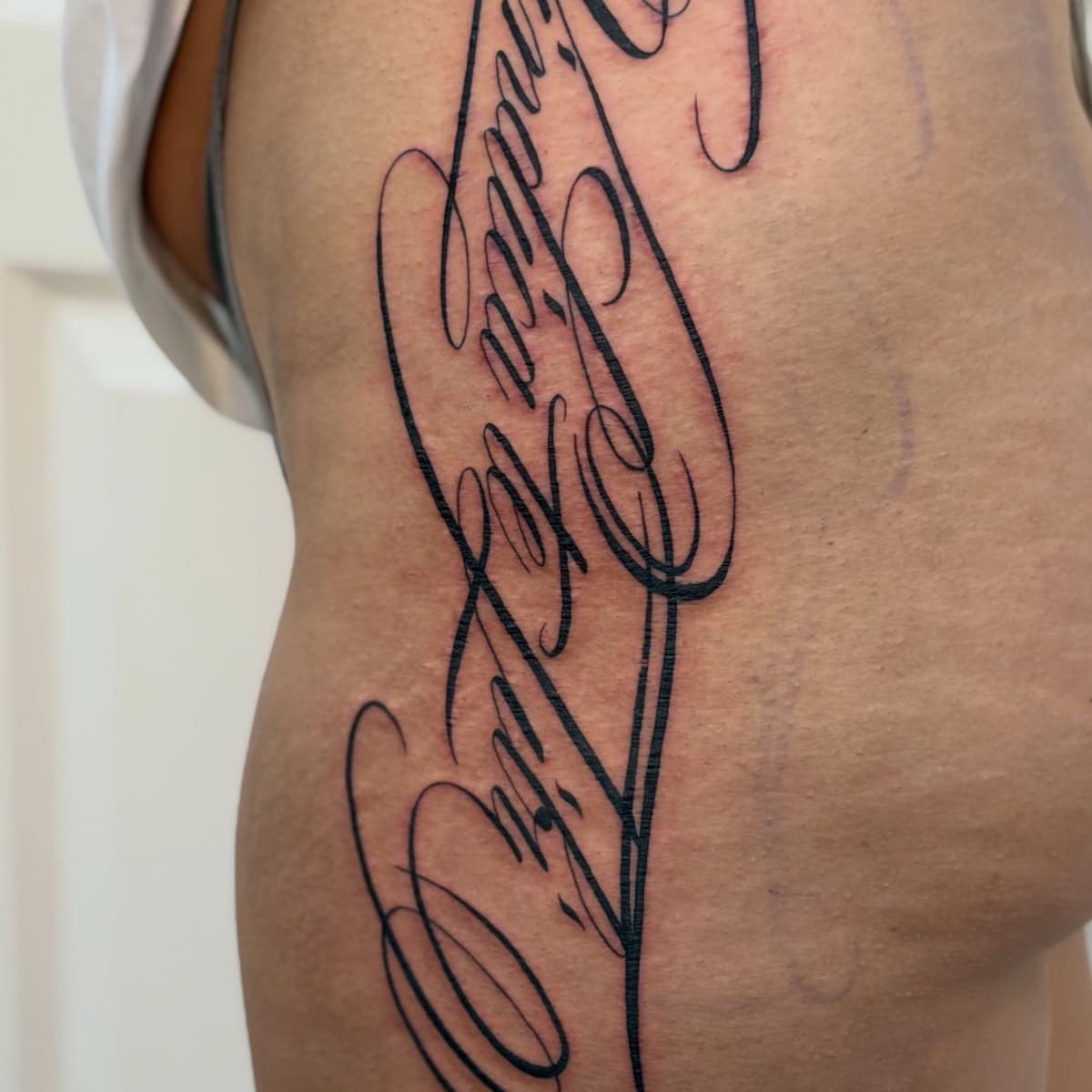

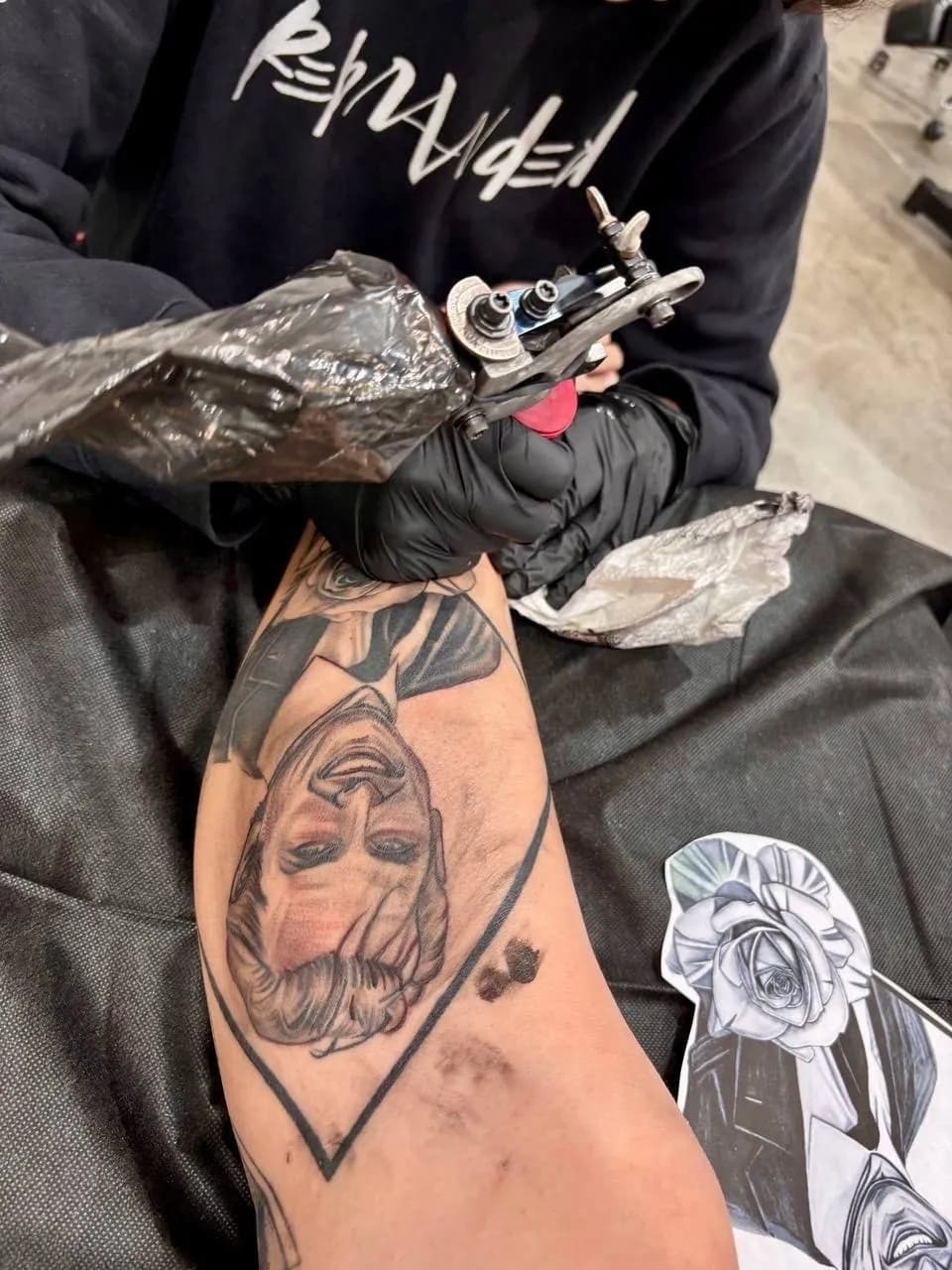

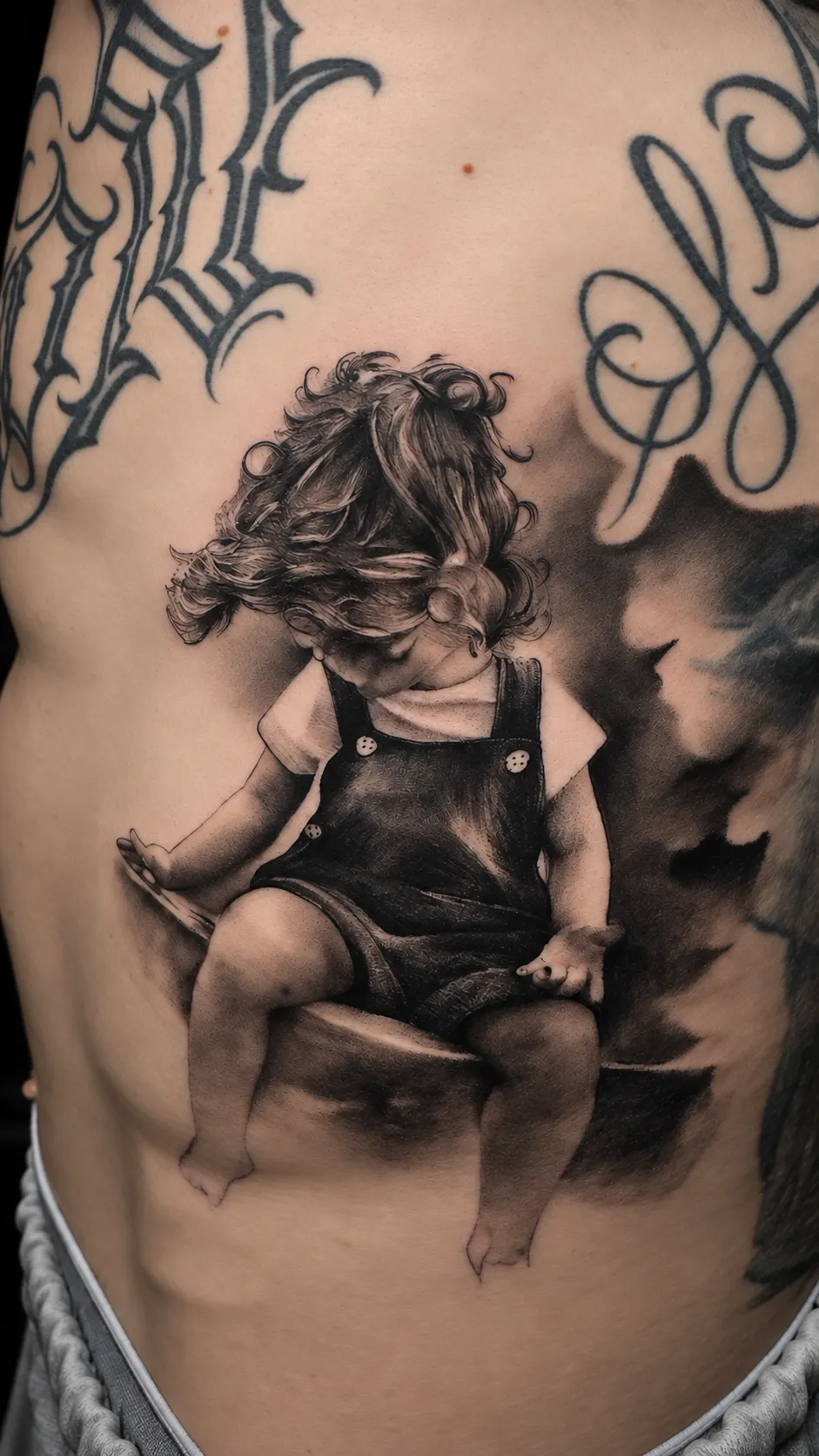

How InkMeet works for tattoo artists
Five steps from profile creation to getting paid. No more chasing deposits, no more scattered DMs.
- 1
Create your profile
Sign up, sync Instagram and Google Calendar, import from Pinterest, set your styles, availability and deposit rules.
- 2
Receive tailored requests
Clients discover you and send structured tattoo requests with references, size and placement.
- 3
Send a quote
Reply with a professional quote — price, duration, deposit amount and terms. The client accepts it, picks a slot and pays the deposit online.
- 4
Get paid securely
The client pays the deposit via Stripe Connect. The 5% service fee is charged to the client — you receive 100% of your deposit.
- 5
Manage & grow
Simplify your day-to-day and boost your profitability with tools built for tattoo artists.
Free page for life · No credit card · 30 days of Pro free
Indexed on Google, readable by AI
Once your page is published, it's exposed in the formats AI models consume, so assistants like ChatGPT, Perplexity or Google AI can read your profile when someone asks them for a tattoo artist.
Built-in SEO
City and style pages, structured data (JSON-LD), a clean sitemap: your profile gets indexed on the searches that matter — with nothing to configure.
Readable by AI
Your profile is published in formats AI models can read: llms.txt, MCP server, public API. A complete profile and your clients' reviews give them more to work with.
An API open to assistants
A public API and an MCP server let AI assistants search artists by style and city in real time, with a link to each artist's profile.
Your portfolio keeps working for you — even when the search happens inside a conversation.
Everything to run your studio — and get you found
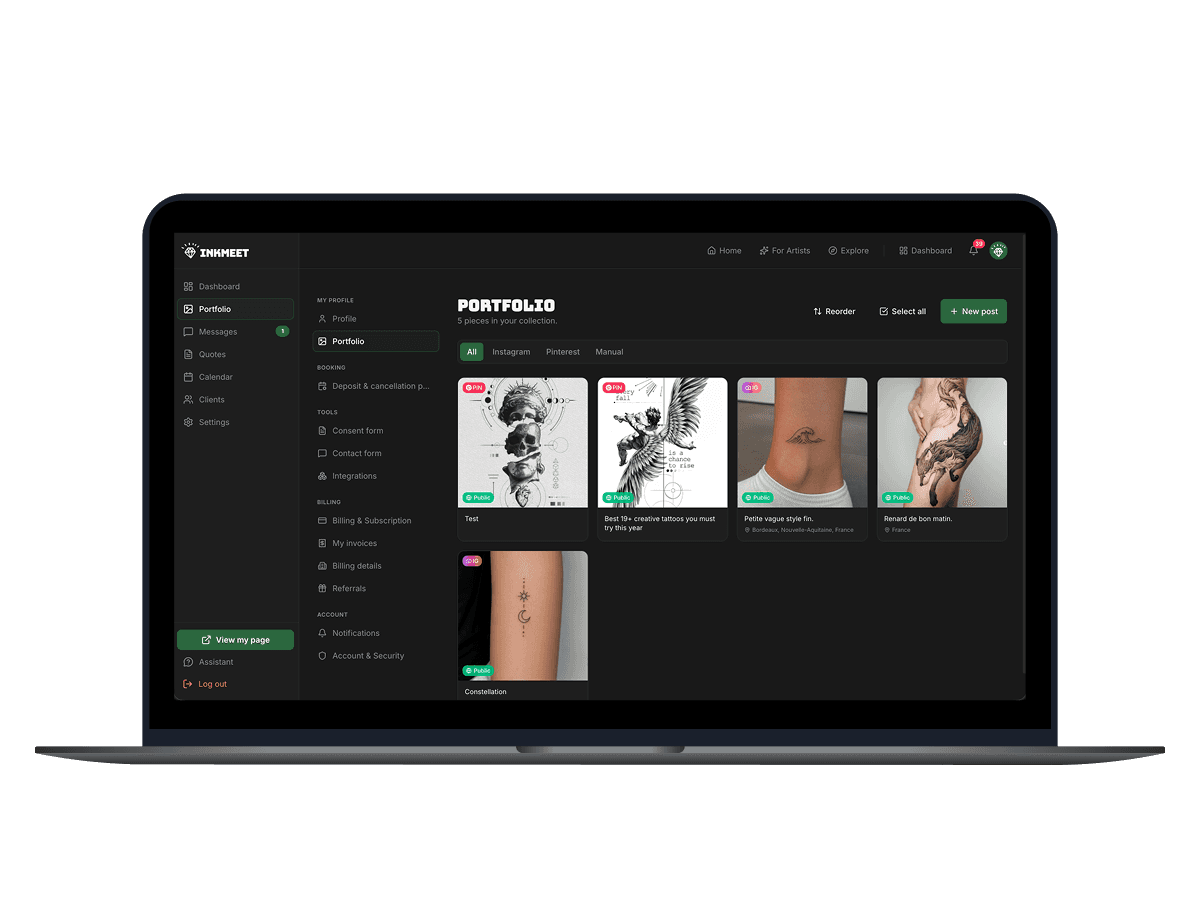
A portfolio built to be found
More than a gallery — a public page built to be found. Instagram and Pinterest sync, organised by style, flash available to book. As soon as you publish 3 pieces, your page goes public: indexed by Google and exposed in formats AI assistants can read.
- Instagram auto-sync, Pinterest import
- Drag-and-drop reordering
- Flash sheet gallery
- Optional 'Healed' tag on photos
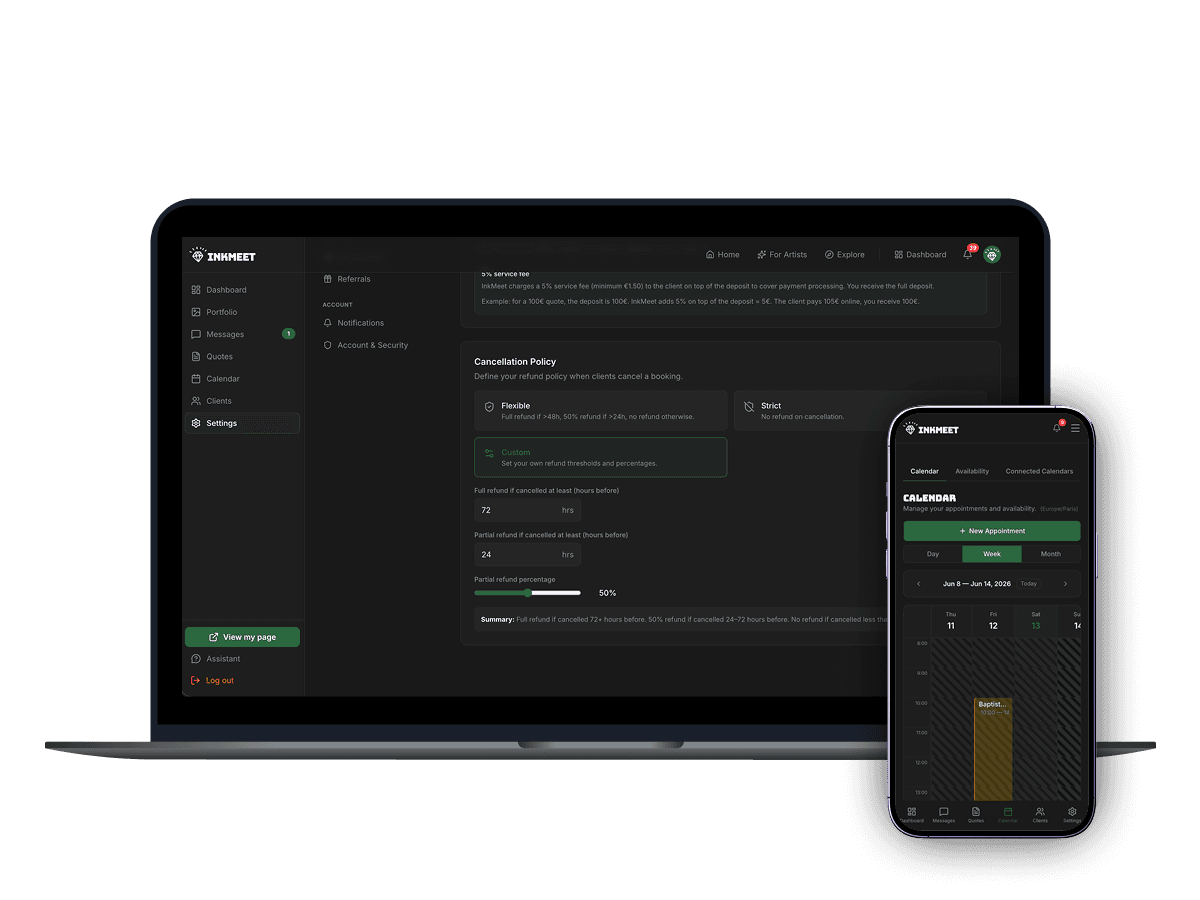
Calendar & booking
Set your availability, share your calendar with approved clients, and let them pick a slot. Automatic reminders help reduce no-shows. You stay in control.
- Customizable availability
- Automated reminders
- Half/full day slots
- Google Calendar sync
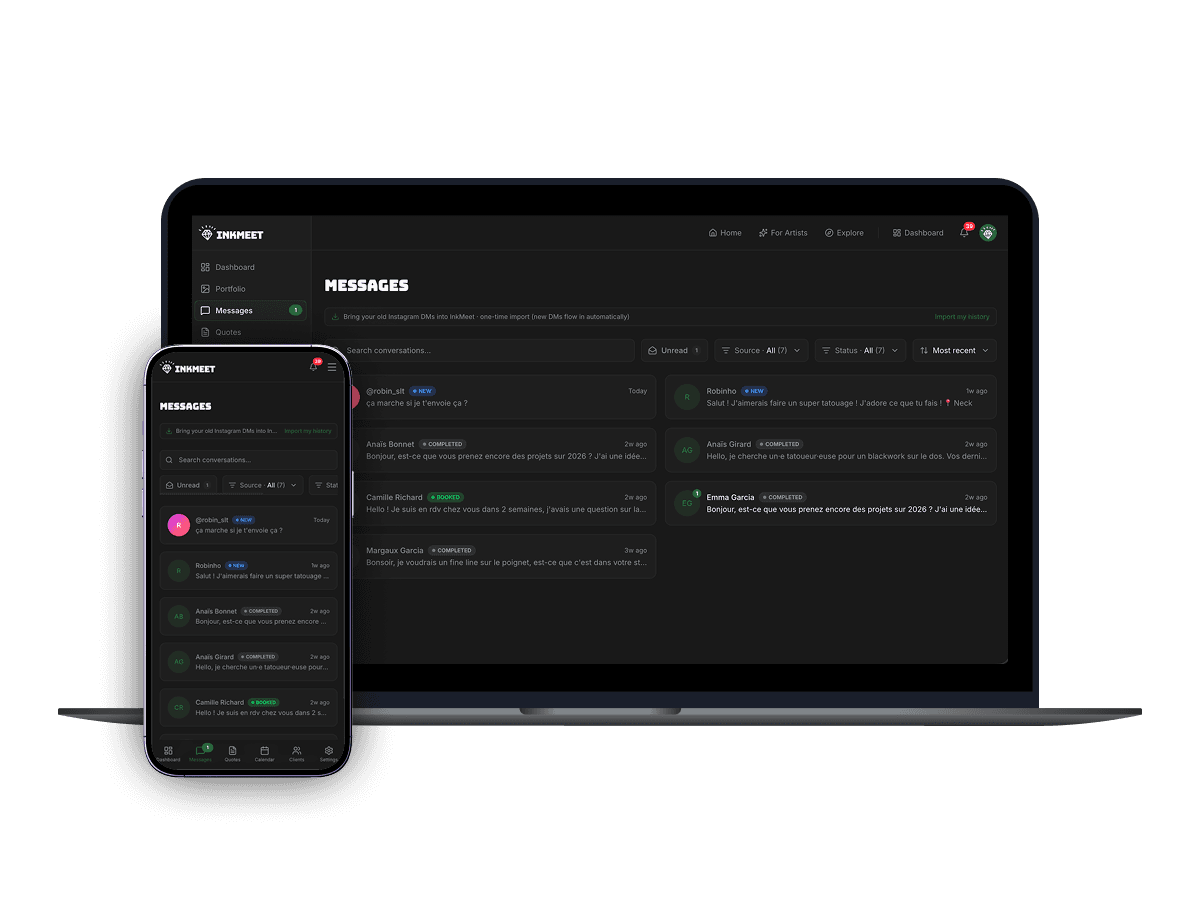
Client messaging
No more DMs piling up. On InkMeet, chat with your clients, share references, refine the project and keep everything in one place.
- Real-time chat
- Reference & moodboard sharing
- Per-client conversation history
- Custom notes
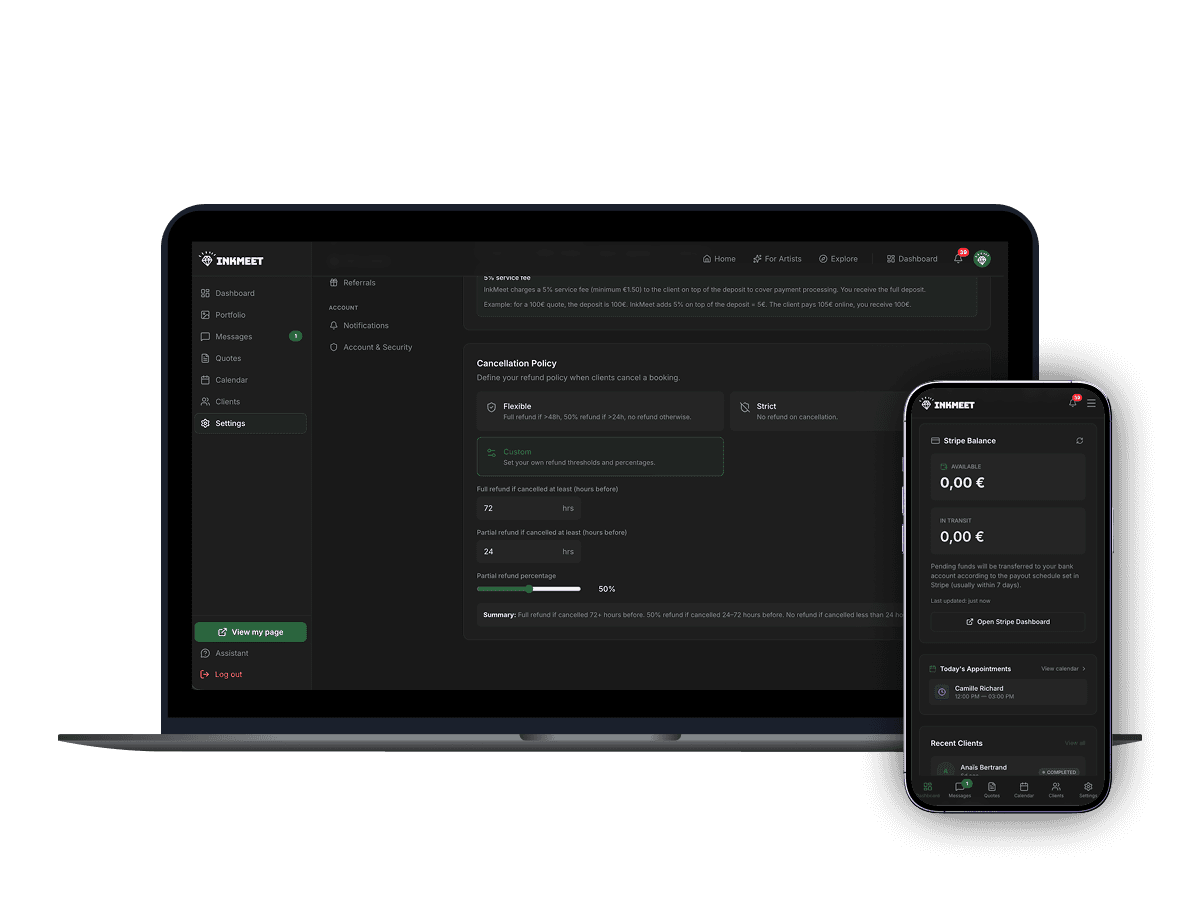
Deposits & payments
Collect deposits online to confirm bookings, then log the balance paid in person or by bank transfer. Powered by Stripe Connect — 0% commission for you, a 5% service fee (minimum €1.50) paid by the client on the deposit.
- Stripe Connect integration
- Deposit + final payment
- 0% commission on your earnings
- Automatic deposit invoices
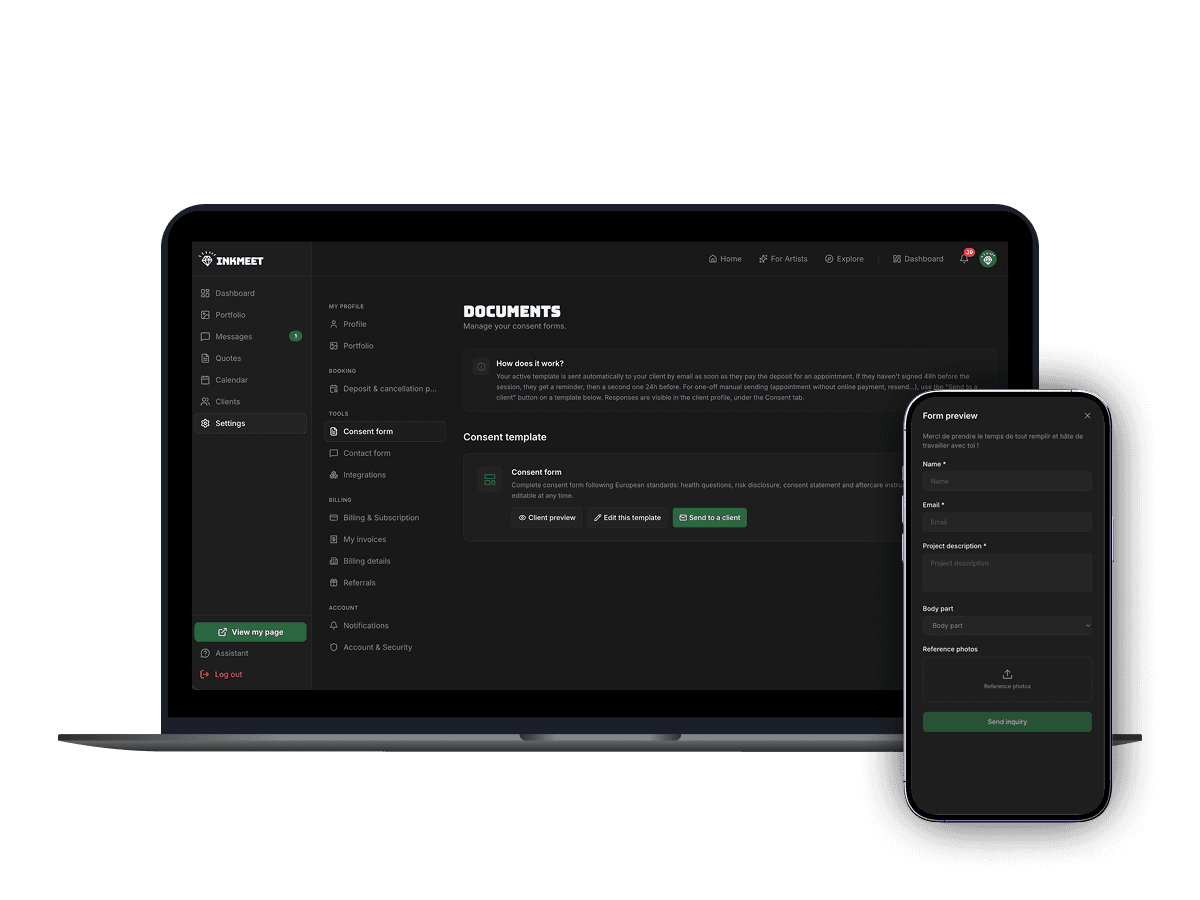
Consent forms & documents
Quotes you write, an invoice generated automatically for every deposit paid online, consent forms signed online and archived. All your paperwork in one secure place.
- Auto-generated consent forms
- E-signature before session
- Professional invoices & quotes
- Secure long-term storage
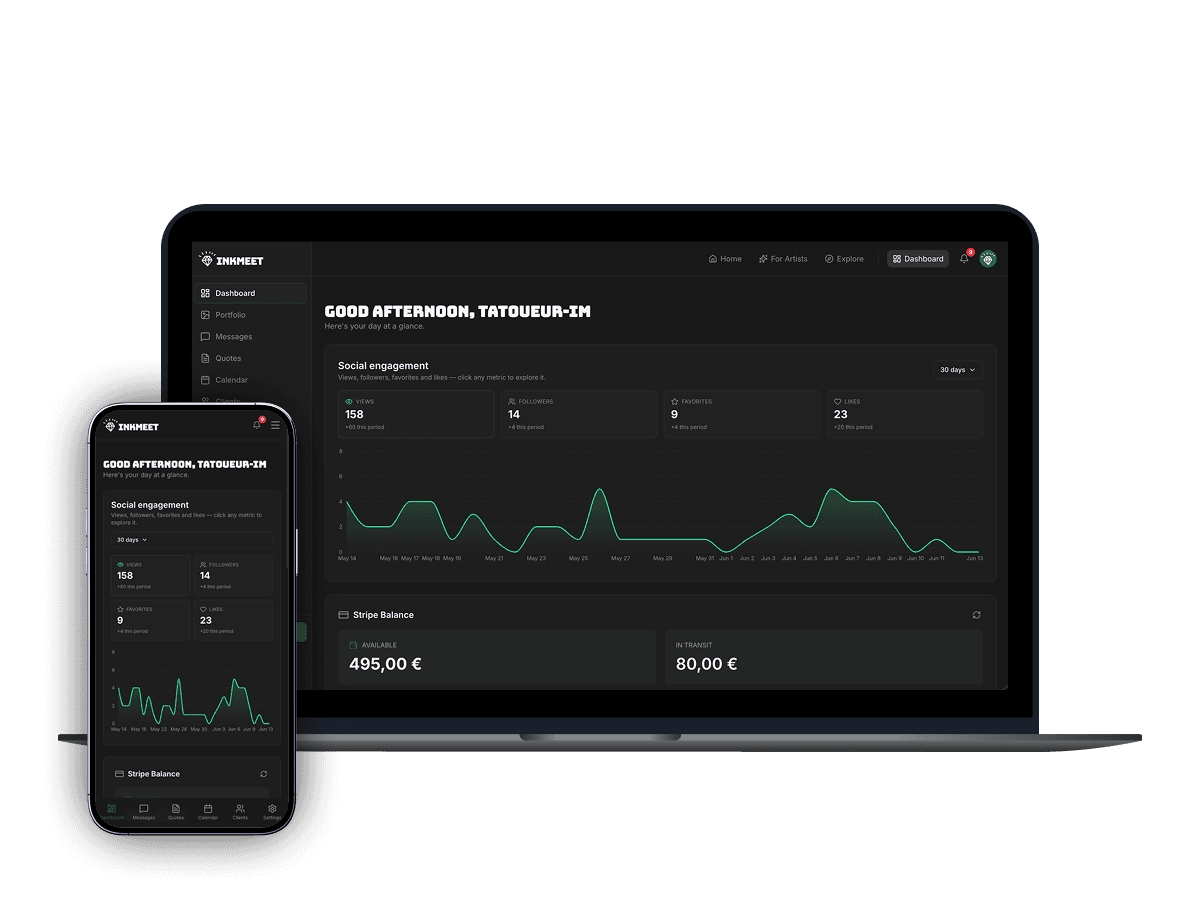
Insights & analytics
Track profile views, booking trends, and revenue. Understand what works and grow your business with data-driven decisions.
- Profile view tracking
- Booking analytics
- Revenue reports
Free page for life · No credit card · 30 days of Pro free
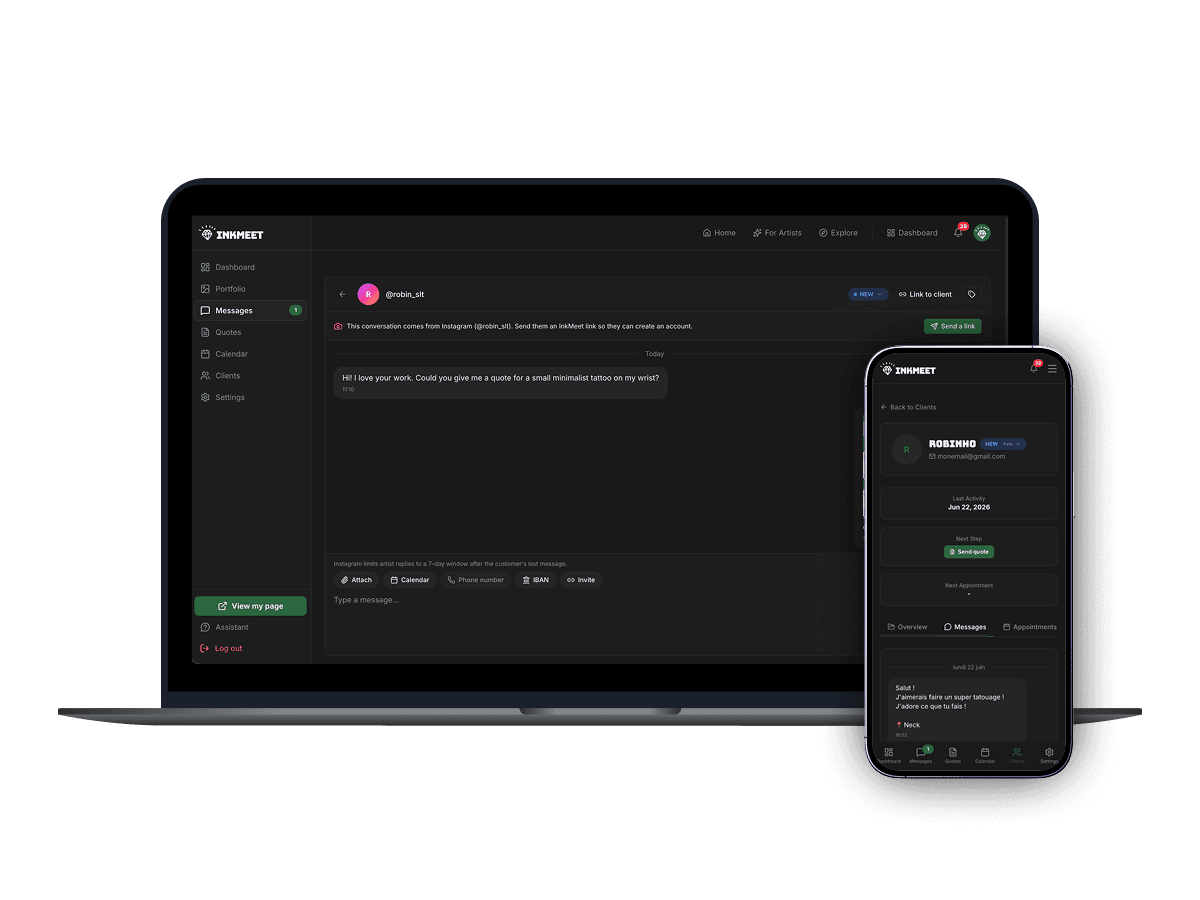
Every new Instagram DM in your InkMeet inbox
Stop juggling apps. When you connect your account, your recent Instagram conversations are imported into InkMeet (the last 20 messages of each — a Meta API limit), then every new DM lands here in real time — reply from here and the client sees your answer on Instagram. One inbox for everything.
- Real Instagram DMs — recent conversations imported, new messages live
- Reply from InkMeet, the message reaches the client on Instagram
- Linked to client files: history, quotes and bookings in one place
Free page for life · No credit card · 30 days of Pro free
Your Instagram, your Pinterest and your calendar, all together in InkMeet
InkMeet plugs into the tools you already use. Bulk-import your Instagram portfolio, get your recent Instagram conversations imported when you connect plus every new DM in real time, and let your Google Calendar events block your InkMeet slots — no copy-pasting, no jumping between apps.
Bulk-import your portfolio straight from your Instagram profile, and get your DMs in InkMeet: recent conversations imported when you connect (the last 20 messages of each — a Meta API limit), then every new message in real time. Reply from InkMeet, the answer goes back to Instagram.
Import your pins from the boards of your choice to build out your portfolio in a few clicks.
Google Calendar
Your Google Calendar events automatically block the matching slots on InkMeet, to avoid double bookings.
Included in your 30-day trial. Then unlocked with the Pro plan.
Free page for life · No credit card · 30 days of Pro free
30 days free, then 49€/month
Every Pro feature during the trial. Cancel anytime. No commission: the client pays the service fee on the deposit.
30 days free
Full access to every feature for 30 days. No credit card required to start.
0% commission
You keep 100% of your deposits and balance payments. InkMeet takes nothing from your revenue.
Free plan after trial
If you don't subscribe after 30 days, your account stays open on the free plan — public profile, Stripe, quotes and native messaging keep working. Pro features lock until you upgrade. Never blocked.
The only fee on transactions is a 5% InkMeet service fee (minimum €1.50), paid by the client only on the deposit settled online (e.g. deposit 100€ → client pays 105€ → you receive 100€). The remaining balance is then settled directly with you, in person or by bank transfer, with no fee.
Artist FAQ
Beyond managing my studio, how does InkMeet actually help me find clients?
That's the real difference: beyond admin, InkMeet also makes you discoverable. Your profile is a public page indexed by Google (you're listed automatically on "tattoo artists in [city]" and "[style]" pages), and it's published in the formats AI assistants read — llms.txt, an MCP server and a public API — so assistants like ChatGPT, Perplexity or Google AI can read your profile when someone asks them for a tattoo artist. On our city and style pages, ranking takes into account the verified badge, your average rating, your number of client reviews and your number of published works. It's a booking tool and a discovery engine in one.
How much does InkMeet really cost me as an artist?
49€/month, all features included, after a full 30-day free trial (no credit card required to start). InkMeet takes 0% commission on your bookings — you keep 100% of your deposits and balance payments. The only transactional fee is a 5% service fee (minimum €1.50) paid by the client only on the deposit settled online — so it does not reduce what you earn. The remaining balance is then settled directly with the client, in person or by bank transfer, with no fee.
How does the 30-day free trial work, and what happens after?
Every new artist account gets 30 days of full Pro access to every feature — portfolio, bookings, messaging, payments, documents, analytics and integrations (Instagram, Pinterest, Google Calendar). No credit card is required to start. At the end of the 30 days, if you haven't subscribed, your account doesn't close: it automatically switches to the permanent free plan. Your public profile stays live and you keep managing quotes, payments, bookings and basic messaging (up to 3 active conversations and 3 clients). Only the Pro features — Instagram, Pinterest and Google Calendar integrations, unlimited conversations and clients, custom labels and form editing — lock until you upgrade to Pro. All your data is kept; when you go back to Pro, you just need to reconnect Instagram, Pinterest and Google Calendar.
How do I get paid, and when?
You connect your Stripe Connect (Express) account from your settings. When a client pays their deposit online, the funds land in your Stripe balance, then Stripe pays them out to your bank account on your Stripe account's payout schedule (shown in your Stripe dashboard). The rest of the tattoo price is settled directly with you, in person or by bank transfer. InkMeet never holds your money.
Can I keep my existing website and Instagram next to InkMeet?
Absolutely. InkMeet is designed to complement what you already have. You can keep Instagram for discovery and use InkMeet for booking: structured inquiries, calendar, deposits, consent forms, invoicing. You can also auto-sync your Instagram portfolio so you don't double-post.
How do the consent forms and tattoo documents work?
InkMeet generates your consent forms from templates (health questions, risk disclosure, aftercare); check that they fit your country's rules. Clients sign electronically before the session; signed PDFs are stored securely and stay downloadable. You create quotes directly from a project, and every deposit paid online automatically generates an invoice.
Can I cancel my subscription at any time?
Yes. The subscription is month-to-month with no commitment. You can cancel anytime from Settings → Billing ('Manage subscription' button, then the Stripe portal). You keep access until the end of your current billing period. Your data is preserved — if you come back later, everything is still there.
What support do I get if I have a problem?
Support is by email (hello@inkmeet.app) or through the contact form, for every account. We answer questions on pricing, Stripe setup, Instagram sync, client disputes and technical issues.
Ready to grow your tattoo business?
Create your page — free for life. Pro tools are free for 30 days, and you keep 100% of your deposits.
Get started for freeFree page for life · No credit card · 30 days of Pro free
Free page for life · No credit card · 30 days of Pro free